
EGT Gauge Calibration Guide
If your EGT (Exhaust Gas Temperature) gauge needle does not rest at zero when the APU OFF, it needs to be calibrated. This is a quick adjustment that takes less than a minute.
The calibration value varies between hardware units — this is normal and expected.
Before You Begin
- Your simulator is running with the APU OFF
- MobiFlight Connector is running and connected to your device
Step-by-Step Calibration
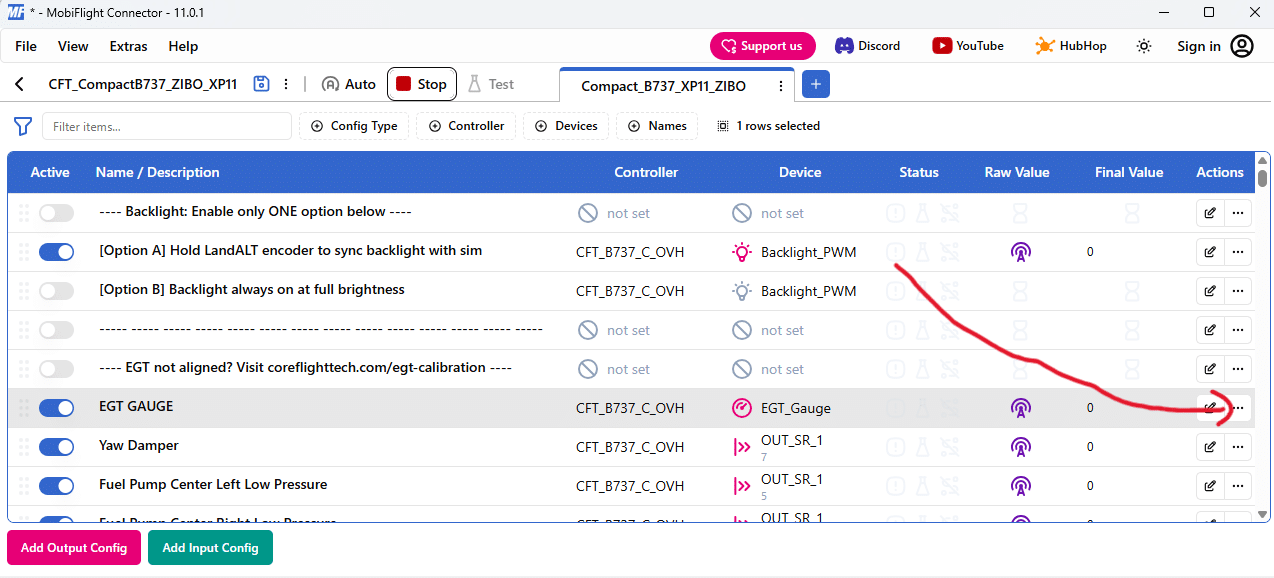
Step 1 — Open the EGT Output Config
In MobiFlight Connector, locate the EGT GAUGE row near the top of the config list. Click the edit button (three dots …) at the end of that row.
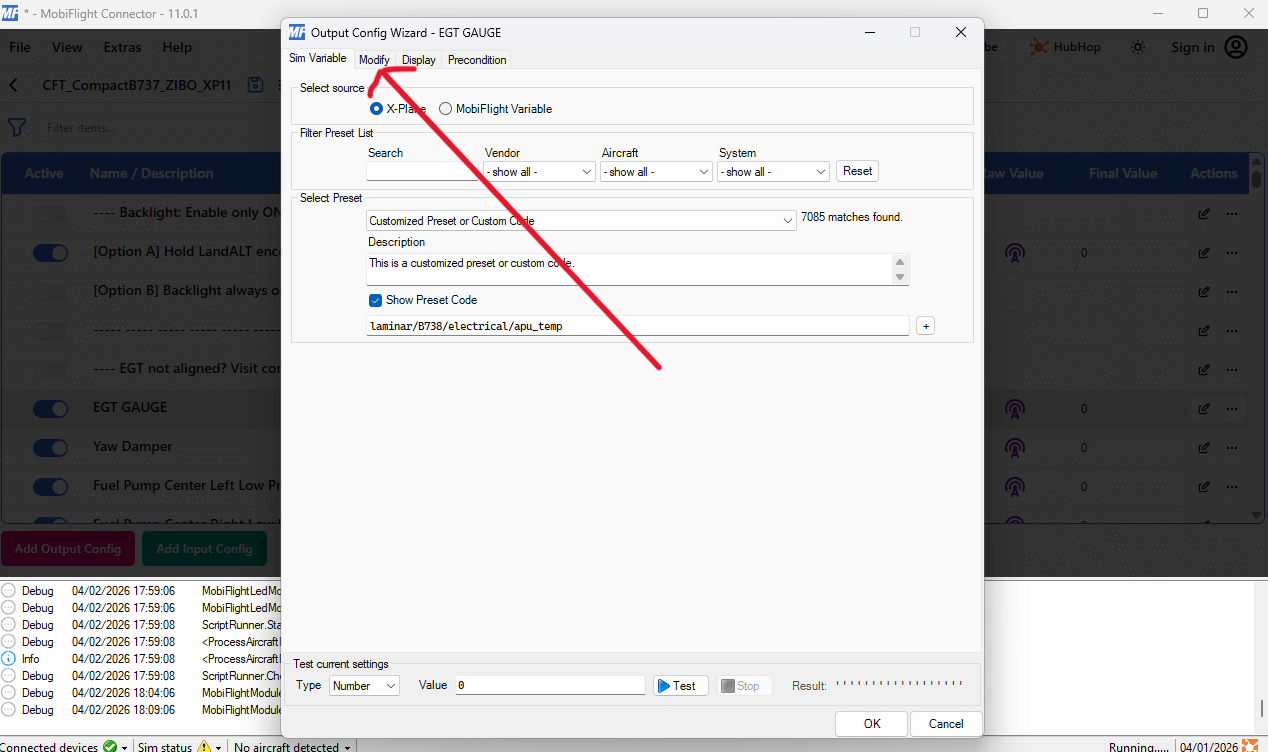
Step 2 — Go to the Modify Tab
In the window that opens, click the Modify tab.
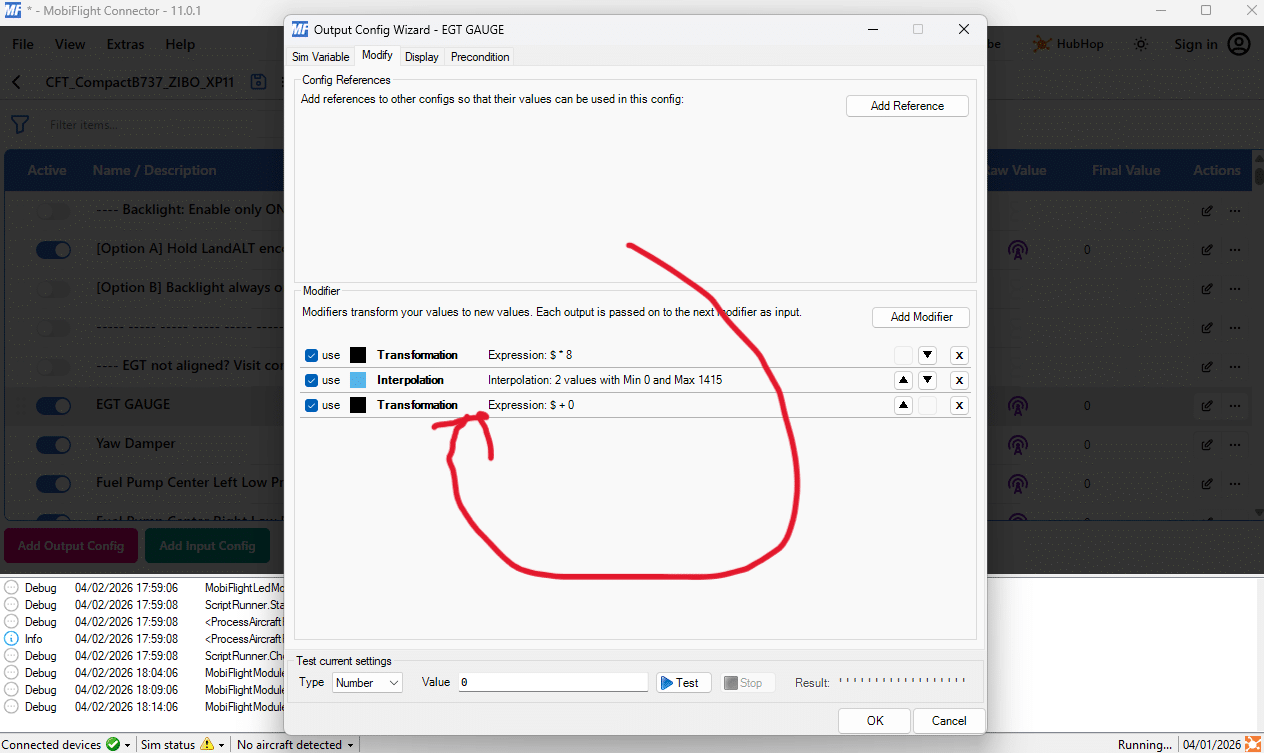
Step 3 — Select the Last Transformation Modifier
Scroll down to the Modifier section. You will see a list of modifiers. Click the last one — it should be a Transformation modifier.
It is important that you select the last transformation modifier in the list.
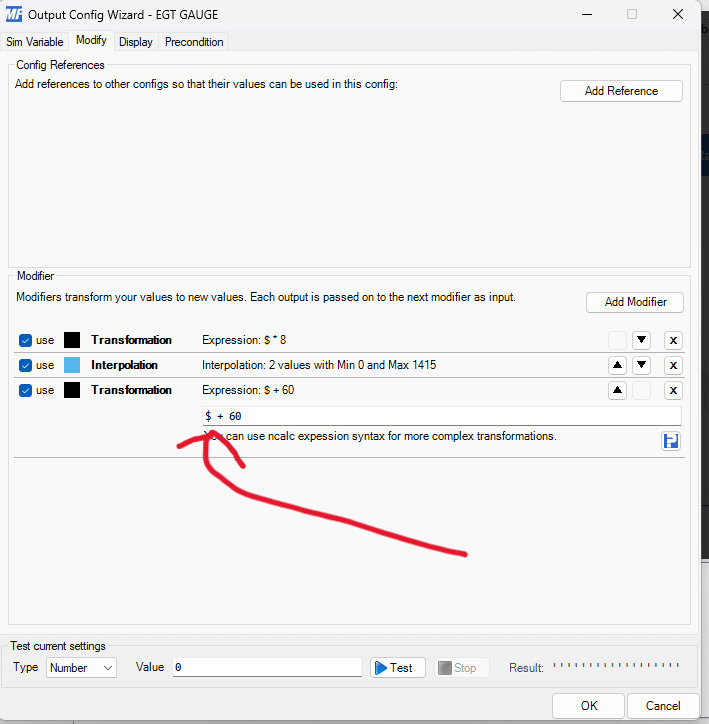
Step 4 — Adjust the Calibration Value
An editing field will appear. By default, it contains:
$ + 60
The number 60 is the calibration offset. Adjust this value based on your needle position:
- Needle is behind zero → increase the value (e.g., try 80)
- Needle is ahead of zero → decrease the value (e.g., try 50)
After entering a new value, click OK to apply. The gauge needle will update — check if it now rests at zero. Repeat this process until the needle is properly aligned.
Tip: The calibration value is typically between 0 and 100. Start with small adjustments (±10–20) and work your way to the correct position.
If you have any questions, feel free to reach out to us on Discord, Facebook or e-mail.